

Download KeyboardTest – keyboard test, keyboard checker, keyboard utility, keyboard tool, keyboard diagnostic
Overview
KeyboardTest is a lightweight, purpose-built utility designed to assist Android users in verifying the functionality of their device’s keyboard. The app serves as a diagnostic tool, enabling users to confirm whether each key on their virtual or physical keyboard is responding correctly. It addresses common issues such as unresponsive keys, ghosting, or inconsistent input, which can hinder productivity or gaming performance. Ideal for users who rely heavily on typing—such as students, professionals, and mobile gamers—KeyboardTest ensures that their input devices are operating at optimal levels. The app is developed by Ryan J. Boudreaux, an independent developer whose focus appears to be on practical, no-frills tools for device maintenance. Although the developer did not provide additional technical details about their background or other projects, the app’s design reflects a clear intent: to deliver a focused, efficient solution without unnecessary features. Real-world use cases include pre-purchase checks for used devices, troubleshooting after software updates, or verifying keyboard integrity after physical damage. In the broader app ecosystem, KeyboardTest fills a niche for utility apps that prioritize functionality over aesthetics, offering a reliable alternative to more complex diagnostic suites. Its presence underscores the growing demand for specialized tools that empower users to maintain their devices independently.Key Features & Functionality
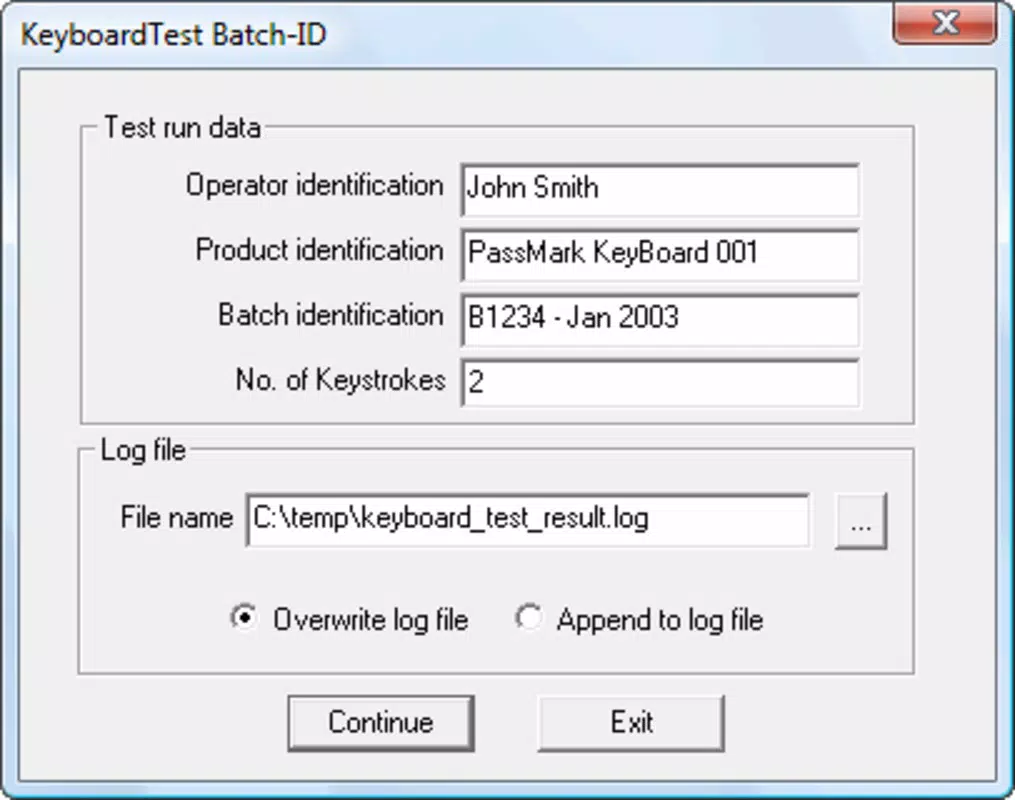
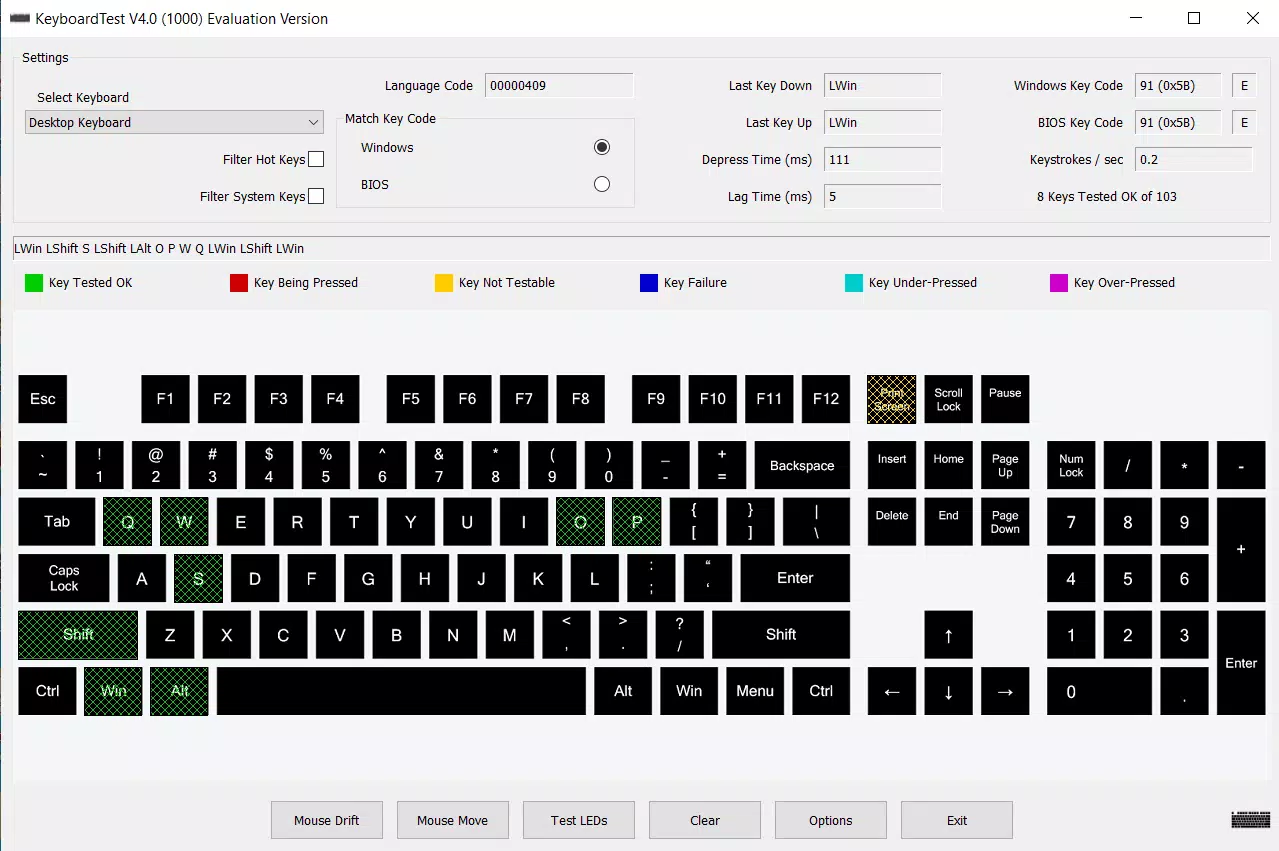
KeyboardTest delivers a suite of practical tools tailored for keyboard diagnostics. The app’s core function is individual key testing, where each key is highlighted in green upon being pressed, while untested keys remain in yellow—providing an immediate visual feedback loop. This feature is particularly effective for identifying dead or stuck keys on physical keyboards connected via USB or Bluetooth. The app supports multiple keyboard models and color schemes, allowing users to select a layout that matches their specific device, ensuring accurate testing across different hardware configurations. Detailed key press information is another standout feature, offering insights into key values for Windows and BIOS systems, keystrokes per second, and response delays. This data helps users assess the responsiveness and consistency of their keyboard, which is especially useful for competitive gamers or power users. The ability to create personalized keyboard layouts allows for custom testing scenarios, enhancing flexibility for users with non-standard or modified keyboards. Additionally, KeyboardTest includes command-line batch testing, enabling automated, repeatable tests—ideal for IT administrators or users managing multiple devices. These features collectively transform the app into a robust diagnostic utility that goes beyond simple key verification, offering actionable insights into keyboard performance and reliability.Real-World Use Cases
- Testing a secondhand smartphone or tablet before purchase to verify keyboard functionality.
- Diagnosing input lag or missed keystrokes after a system update.
- Verifying keyboard performance after dropping a device or exposing it to moisture.
- Setting up custom keyboard layouts for accessibility or ergonomic preferences.
- Running automated tests on multiple devices in a classroom or office environment.
Interface, UX & Performance
The interface of KeyboardTest is clean, minimal, and highly functional, designed with usability in mind. The keyboard layout is displayed clearly on screen, with keys color-coded for immediate visual feedback—green for tested, yellow for untested. Navigation is intuitive, with no complex menus or hidden settings, making it accessible even to non-technical users. The app responds swiftly to key presses, with minimal delay between input and visual confirmation, suggesting efficient processing. Although the developer did not list formal performance metrics, the app’s 4.5 MB size indicates a lightweight footprint, which contributes to smooth operation on a wide range of Android devices. Responsiveness is consistent across different screen sizes and resolutions, though specific device compatibility was not disclosed. Stability appears reliable based on the app’s focused scope and absence of complex animations or background processes. The user experience is streamlined, with no intrusive ads or unnecessary permissions, aligning with its utility-focused design. While no formal accessibility features were mentioned, the high-contrast color scheme and clear visual cues support basic usability for most users. Overall, KeyboardTest delivers a frictionless experience that prioritizes function over form, ensuring users can test their keyboards quickly and effectively.Platform Compatibility & Technical Requirements
KeyboardTest is available exclusively on the Android platform, with a current version of 1.0. The app has a file size of 4.5 MB, making it highly efficient in terms of storage usage. The developer did not specify minimum OS requirements, nor did they provide information about supported Android versions or device categories. Compatibility with specific hardware models or keyboard types was not fully disclosed. The app is currently offered as a free download, with no in-app purchases or subscription models. Users are advised to ensure their device meets general Android system requirements for app installation, though no specific technical details were provided. Given the app’s lightweight nature and utility focus, it is likely compatible with most modern Android devices, but users should verify system compatibility through their device’s app store before installation. The lack of detailed technical specifications limits precise assessment, but the app’s design suggests broad accessibility across entry-level and mid-range devices.Pros and Cons
- Lightweight design at just 4.5 MB, minimizing storage impact.
- Clear visual feedback with color-coded key testing (green/white).
- Supports multiple keyboard models and customizable layouts.
- Provides detailed key press metrics including timing and keystrokes per second.
- Includes command-line batch testing for advanced users.
- Free to download and use with no ads or in-app purchases.
- Developer did not list minimum OS requirements or compatibility details.
- No information on accessibility features or screen reader support.
- Command-line functionality may be challenging for non-technical users.
- App size and version are minimal; no indication of future updates.
- Platform availability limited to Android only.
FAQ
Is KeyboardTest safe to download and install?
Yes, the app is free and available through official Android channels. It does not require excessive permissions and operates within standard system boundaries.
Can I use KeyboardTest on my tablet?
Yes, as long as your tablet runs Android and meets general app installation requirements. The app’s interface is scalable and should function on larger screens.
Does KeyboardTest work with external keyboards?
Yes, the app supports testing of external keyboards connected via USB or Bluetooth, provided the device recognizes them as input sources.
Is there a version for iOS or Windows?
Currently, KeyboardTest is only available for Android. There is no official iOS or Windows version available at this time.
How often should I test my keyboard with KeyboardTest?
It’s recommended to test your keyboard after any system update, after physical damage, or when experiencing input issues. Regular checks can help catch problems early.


